Teleport A Cow
I've been having fun the last few months learning to make silly little games with Unity and GoDot. Nothing to write home about but, there's a lot of joy in just creating something in a medium that didn't exist, in any accessible way, just a few years ago.

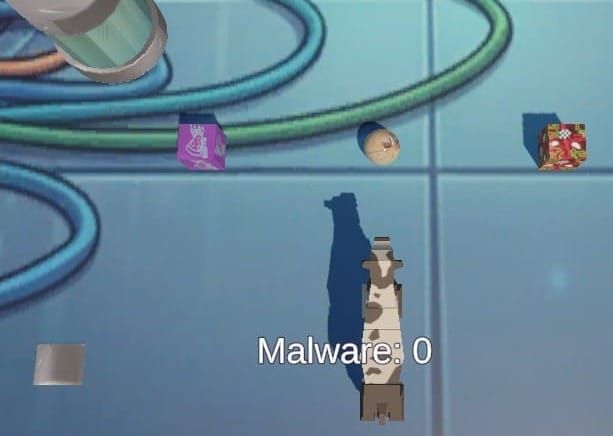
I've been having fun the last few months learning to make silly little games with Unity and GoDot. Nothing to write home about but, there's a lot of joy in just creating something in a medium that didn't exist, in any accessible way, just a few years ago. The fact that it makes people say, "Wait, what? You made a game. So cool!" is a nice ego boost during a time in my life where there aren't as many chances to surprise people. My delicious gingerbread is only going so far in the wow department. It is quite delicious though. I might put the recipe here one day.
This is a silly little script I made for my first mini-game when I was learning UnityEngine. It was intended for younger children (and me) who might get lost navigating in the scene. When their player gets lost, they step onto the teleporter and it returns them to start. I find it's useful to put these in a spot where the player might get stuck if their navigation skills are still developing. It quickly turns frustration into giggles. Pick a funny sound and particle effect for extra giggles.
DetectTeleport.cs
using UnityEngine;

public class DetectTeleport : MonoBehaviour
{
    public Vector3 destinationPosition;
    public GameObject teleportBurstPrefab;

    private void OnTriggerEnter(Collider other)
    {
        if (other.CompareTag("Player"))
        {

            Debug.Log("Teleport! Ahhh!");

            AudioSource teleporterAudio = GetComponent();

            if (teleporterAudio != null)
                teleporterAudio.Play();

            //Trigger Burst Animation
            GameObject clone = Instantiate(teleportBurstPrefab, transform.position, Quaternion.identity);
            Destroy(clone, 1.5f);

            //Move to destination as specified in inspector
            other.transform.position = destinationPosition;


        }
    }

}
Using the DetectTeleport Script in Unity
This script lets you create an invisible trigger zone that instantly teleports any tagged "Player" object to a destination of your choosing. It comes complete with a sound effect and a burst animation. Great for reset zones, warp pads, or (in my case) retrieving a wayward cow.
What You'll Need Before You Start
- A Player-tagged GameObject in your scene (the thing you want to teleport)
- A particle effect prefab for the burst animation (even a simple one works great)
- An Audio Clip for the teleport sound
Step-by-Step Setup
1. Create the Trigger Zone
- In the Hierarchy, create an empty GameObject (
GameObject → Create Empty) and name it something like Teleporter. - Add a Collider component to it (Box Collider works well). In the Inspector, check the Is Trigger box.
- Size and position the collider where you want the teleport to activate. A reset pit, an off-map boundary, are all good. Wherever makes sense.
2. Add the Script
- Drag
DetectTeleport.csonto your Teleporter GameObject, or use Add Component and search for it.
3. Set the Destination
- With the Teleporter selected, find the Destination Position field in the Inspector.
- Type in the X, Y, Z coordinates where you want the player to land. For a simple reset,
0, 0, 0works perfectly.
4. Assign the Burst Prefab
- Drag your particle effect prefab into the Teleport Burst Prefab field in the Inspector. The script will spawn it at the teleporter's location when triggered, then clean it up after 1.5 seconds automatically.
5. Add the Audio
- Add an Audio Source component to the Teleporter GameObject.
- Assign your teleport sound clip to it. Make sure Play On Awake is unchecked. The script handles playback.
6. Tag Your Player
- Select the GameObject you want to teleport.
- In the Inspector at the top, set its Tag to
Player. (If the tag doesn't exist yet, choose Add Tag and create it.)
Test It
Hit Play, move your Player object into the trigger zone, and it should:
- Play the sound
- Spawn the burst effect (auto-destroyed after 1.5 seconds)
- Instantly move to your destination coordinates
Tips & Variations
- Multiple teleporters — You can drop as many of these into a scene as you like, each with its own destination.
- Invisible by default — The trigger zone has no visible mesh, so players won't see it unless you add one intentionally.
- Adjusting the burst duration — The
1.5finDestroy(clone, 1.5f)is in seconds. Tweak it to match your particle effect's length. - The Rigidbody caveat — If your Player has a Rigidbody, consider also zeroing out its velocity after the teleport, otherwise momentum can carry it right back into trouble or adventure depending on your view.
I hope if you need a little giggle in your life, you take this as a gift and have fun teleporting a cow. Sometimes the little things are important. If you also create with this medium and have a tiny little plug-and-play script you want to share, let me know in the comments. The fancy stuff is fancy but, I find the most fun in the unexpected little touches that make you pause and say, WTF just happened?